
Cart is empty
Free Ground Shipping within US 48 states
 ALL CATEGORIES
Hard Drive vs SSD: Which Storage Option Is Right for You?
03/29/2026
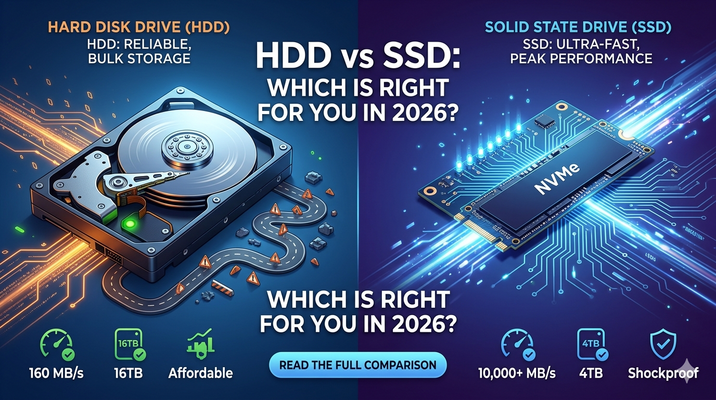
When choosing storage for your computer, one of the most important decisions you’ll face is whether to go with a traditional hard drive (HDD) or a solid-state drive (SSD). While both serve the same purpose—storing your data—they do so in very different ways, and those differences can significantly impact performance, cost, and overall user experience.
What Is a Hard Drive (HDD)?
A hard disk drive (HDD) is the older of the two technologies. It uses spinning disks (platters) and a mechanical arm to read and write data. Think of it like a record player: the disk spins while the arm moves across it to access information.
Pros of HDDs:
- Lower cost per gigabyte: HDDs are generally much cheaper, making them ideal for large storage needs.
- High capacity: You can easily find HDDs with 1TB, 2TB, or even more at affordable prices.
- Good for long-term storage: Great for storing photos, videos, backups, and large files you don’t access often.
Cons of HDDs:
- Slower performance: Because of moving parts, read/write speeds are significantly slower.
- More fragile: Mechanical components make them more prone to damage if dropped or bumped.
- Noisy and heat-producing: The spinning disks and moving arm generate noise and heat.
What Is a Solid-State Drive (SSD)?
A solid-state drive (SSD) uses flash memory to store data, similar to a USB drive or smartphone storage. There are no moving parts, which makes SSDs faster and more durable.
Pros of SSDs:
- Much faster speeds: Faster boot times, quicker file transfers, and smoother performance overall.
- More durable: No moving parts means better resistance to physical shock.
- Silent and energy-efficient: SSDs run quietly and use less power.
Cons of SSDs:
- Higher cost per gigabyte: SSDs are more expensive, especially at higher capacities.
- Typically smaller capacities for the price: While large SSDs exist, they can be costly.
Performance Comparison
The most noticeable difference between HDDs and SSDs is speed. SSDs can be several times faster than HDDs. This affects:
- Boot time (seconds vs minutes)
- Application loading
- File transfers
- Overall system responsiveness
If you’ve ever upgraded from an HDD to an SSD, the difference feels dramatic—your computer simply feels “snappier.”
Which One Should You Choose?
The right choice depends on your needs:
- Choose an HDD if:
- You need a lot of storage for a low price
- You’re storing large files like videos or backups
- Speed is not a top priority
- Choose an SSD if:
- You want fast performance
- You’re running an operating system or applications
- You value durability and efficiency
The Best of Both Worlds
Many users today opt for a hybrid approach:
- Use an SSD for the operating system and frequently used programs
- Use an HDD for mass storage (movies, photos, archives)
This setup balances speed and cost effectively.
Final Thoughts
Both HDDs and SSDs still have their place in modern computing. HDDs remain a cost-effective solution for bulk storage, while SSDs deliver the speed and reliability that modern users expect. If your budget allows, investing in an SSD—at least for your main drive—is one of the best upgrades you can make to your system.
Ultimately, the decision comes down to how you use your computer. Prioritize speed? Go SSD. Need space on a budget? HDD might be all you need.